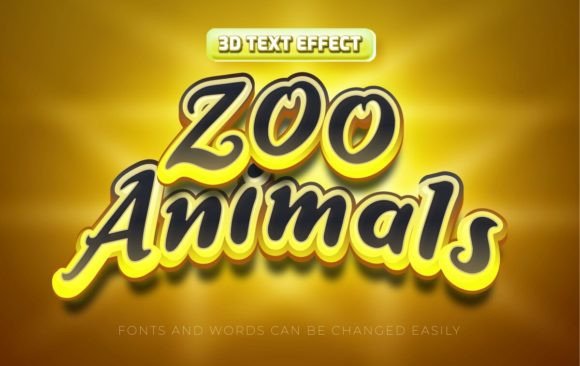
Zoo Animals 3D Text Effects
Capturing attention in today’s saturated digital landscape requires more than just standard typography; it demands visual storytelling that leaps off the screen. The Zoo Animals 3d Editable Text Effect offers a dynamic solution for designers seeking to infuse their projects with playful energy and professional polish. By combining intricate animal textures with bold, three-dimensional lettering, this design asset transforms ordinary headlines into captivating focal points that resonate with audiences across various media platforms.
In modern graphic design, the integration of thematic elements like wildlife motifs into typography serves a dual purpose. It enhances aesthetic appeal while reinforcing brand identity through associative imagery. Whether you are working on a children’s book cover, a nature documentary promo, or an eco-friendly product launch, these text effects provide an immediate visual hook. The key advantage lies in their versatility and ease of use, allowing creative professionals to maintain high standards without compromising on workflow efficiency.
Streamlining Your Design Workflow
Time is a critical resource in any creative project. Traditional 3D text creation can be labor-intensive, requiring complex modeling, lighting adjustments, and texture mapping in specialized software. These text effect templates eliminate those barriers by offering a fully customizable solution within Adobe Illustrator. Because they utilize vector-based EPS files, the designs remain crisp and scalable at any size, ensuring perfect quality for both large-format print and small digital icons.
The technical specifications are designed for maximum compatibility and ease. The package includes high-resolution JPG previews at 300 DPI in RGB color mode, ideal for quick visualization and digital mockups. More importantly, the core files are 100% editable. You simply type your desired text or swap out the font to match your brand guidelines, and the style updates instantly. Since free fonts are used, there are no licensing hurdles or additional costs, making this accessible for freelancers and agencies alike.
Practical Applications Across Media
The versatility of the Zoo Animals 3d Editable Text Effect makes it suitable for a wide range of design contexts. Understanding where and how to apply these assets can significantly enhance the impact of your visual communication strategy.
- Social Media Graphics: Stand out in crowded feeds by using these eye-catching headers for YouTube thumbnails, Instagram posts, or Facebook ads. The vibrant colors and textured details stop the scroll.
- Marketing Materials: Elevate flyers, posters, and web banners with typography that conveys excitement and movement. This is particularly effective for events, sales, or promotional campaigns targeting families or animal lovers.
- Editorial and Print Design: Add depth to magazine layouts, book covers, or brochure headlines. The high-resolution vectors ensure that printed materials look sharp and professional.
- Branding and Packaging: For brands associated with nature, conservation, or playful consumer goods, these text effects can serve as unique logo elements or packaging highlights that reinforce brand personality.
Enhancing Visual Hierarchy and Engagement
Effective design is not just about aesthetics; it is about communication. Using distinctive text effects helps establish a clear visual hierarchy, guiding the viewer’s eye to the most important information. When plain text fails to convey the tone of a message, thematic typography bridges the gap. The organic textures of fur, scales, or feathers integrated into the letters create an emotional connection, making the content more memorable and engaging.
From a UX and UI perspective, such elements can be used sparingly to highlight key calls-to-action or section headers on websites and apps. However, readability must always remain a priority. While the 3D effect adds depth, ensure that the contrast between the text and background remains sufficient for easy reading. Balancing creative flair with functional clarity is essential for maintaining a professional presentation.
Tips for Effective Implementation
To get the most out of these creative assets, consider the following best practices:
- Maintain Brand Consistency: Ensure the color palette and style of the text effect align with your existing brand identity. You may need to adjust hues slightly to match your primary brand colors.
- Prioritize Readability: Avoid using overly complex backgrounds behind the textured text. Simple, contrasting backgrounds allow the 3D details to shine without causing visual clutter.
- Scale Appropriately: Take advantage of the scalable vector format. Test the text at various sizes to ensure details remain visible and impactful, whether on a mobile screen or a billboard.
- Combine with Complementary Elements: Pair these headlines with clean, simple body text to create balance. Let the 3D effect be the star, while supporting elements provide context and information.
Ultimately, investing in high-quality, editable design assets like the Zoo Animals 3d Editable Text Effect empowers creators to produce standout work efficiently. By leveraging these tools, designers can focus more on strategic creative decisions and less on technical execution, resulting in polished, impactful visuals that drive engagement and strengthen brand presence.